Skip to content
nitro

iOS

Nitro for iPhone

Time, mileage and expenses, together on your iPhone. Keep a clear record of your day, then review the pay period before you share it.
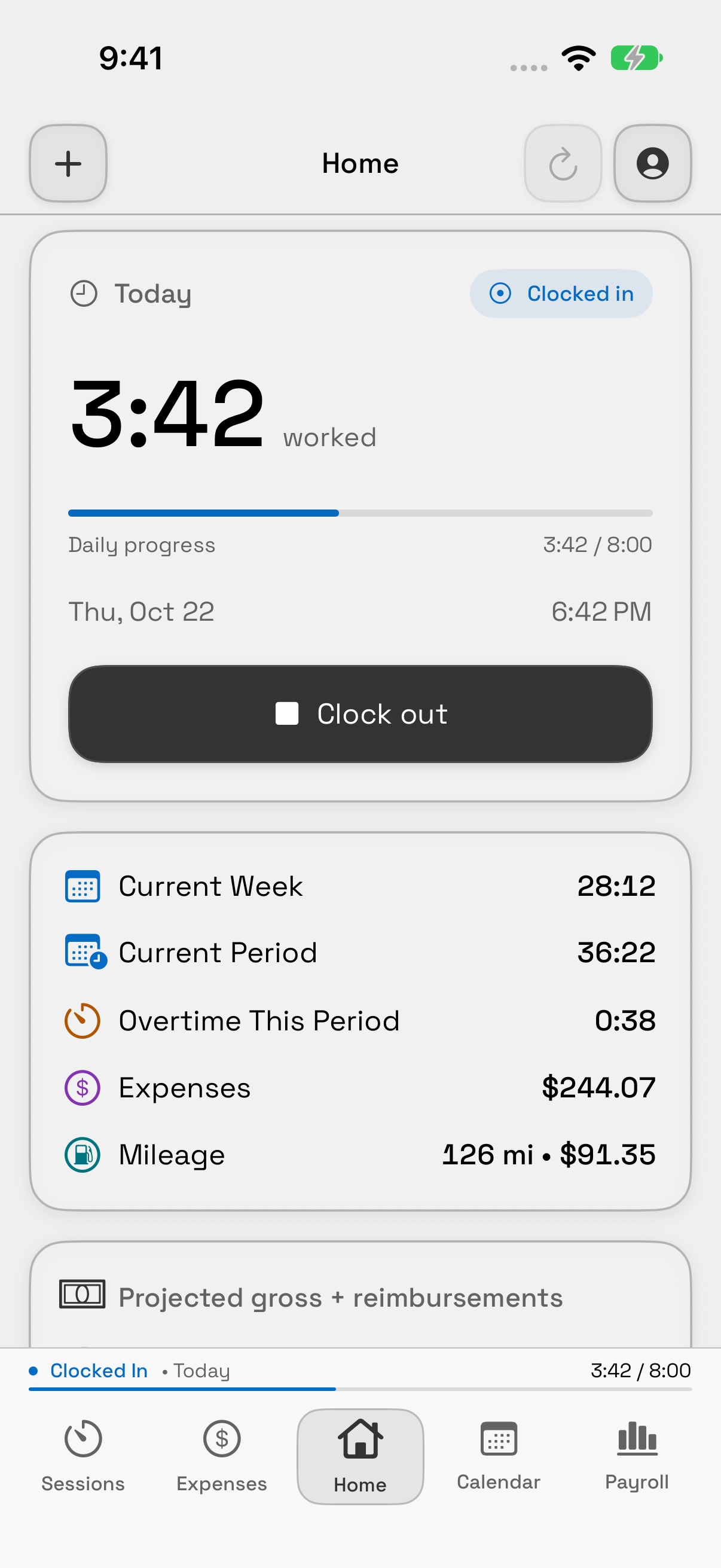
Your day at a glance. Actual native Nitro interface with fictional demo records.
The native iPhone overview, with your clock, recorded hours and reimbursements. · demo data

Time tracking

Start with your clock. Come back to a session list that makes the rest of the day easy to review.
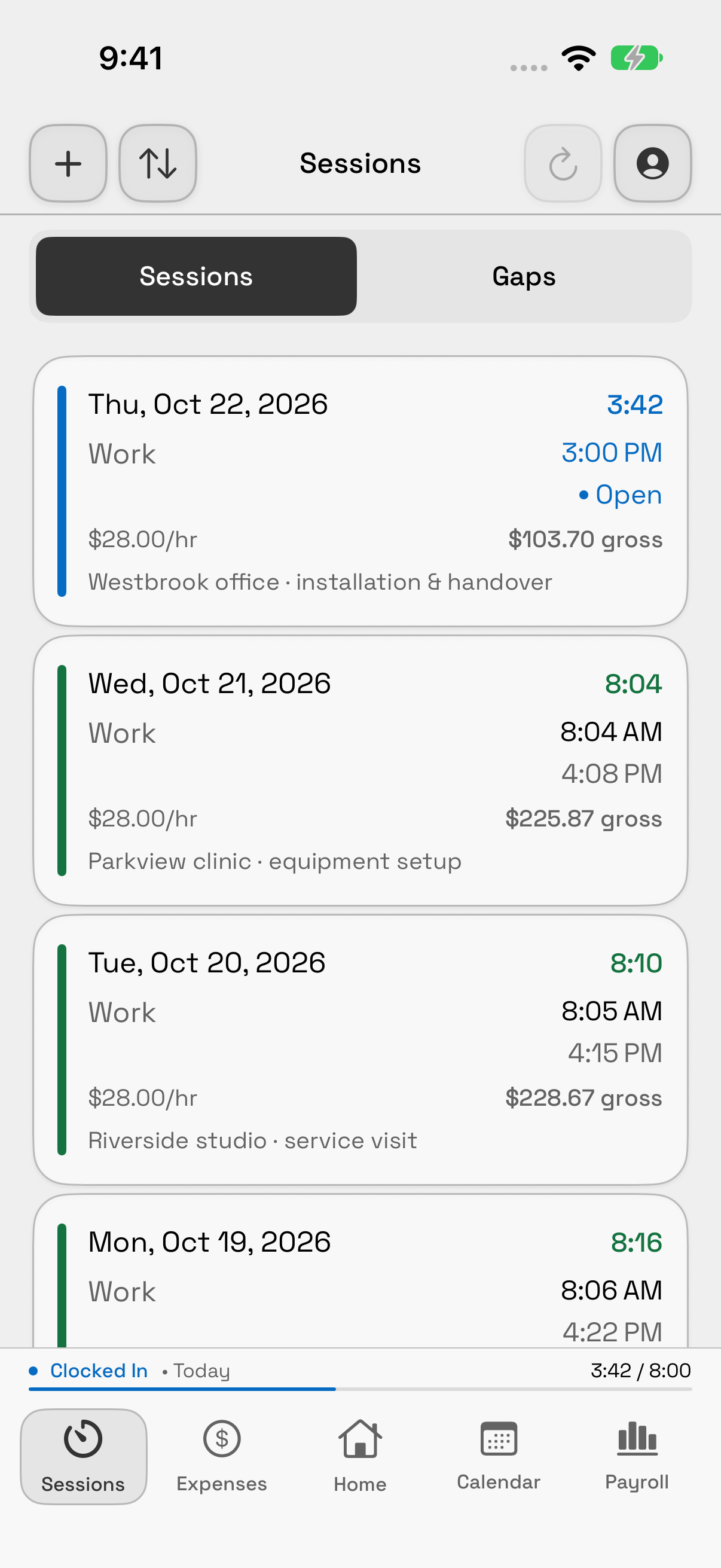
  • See your running session and progress toward your daily target.
  • Keep start times, end times and notes with each session.
  • Review gaps between sessions without assuming they were paid work.
Time tracking. Actual native Nitro interface with fictional demo records.
Sessions in the actual iPhone app. · demo data

Mileage and expenses

Two kinds of reimbursement. One place to keep the details straight.
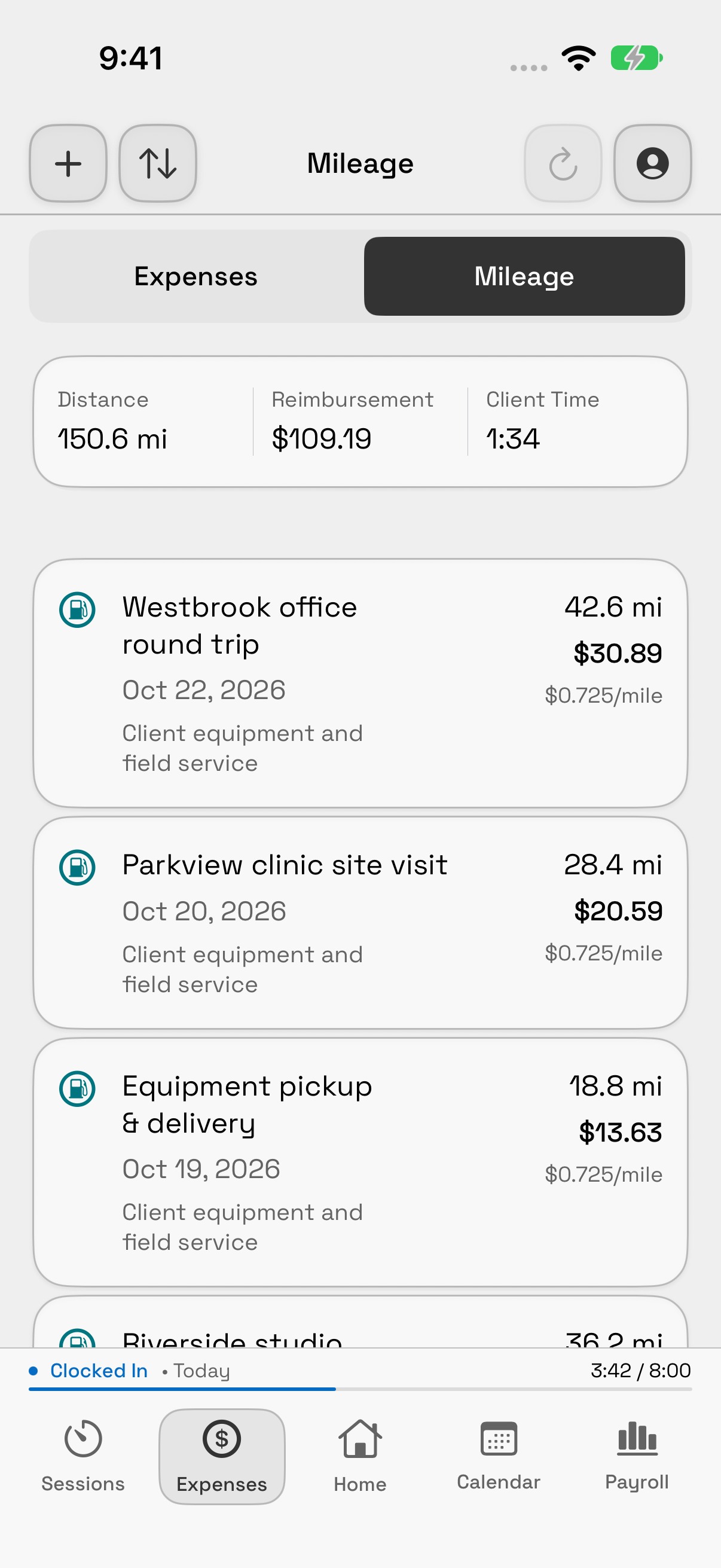
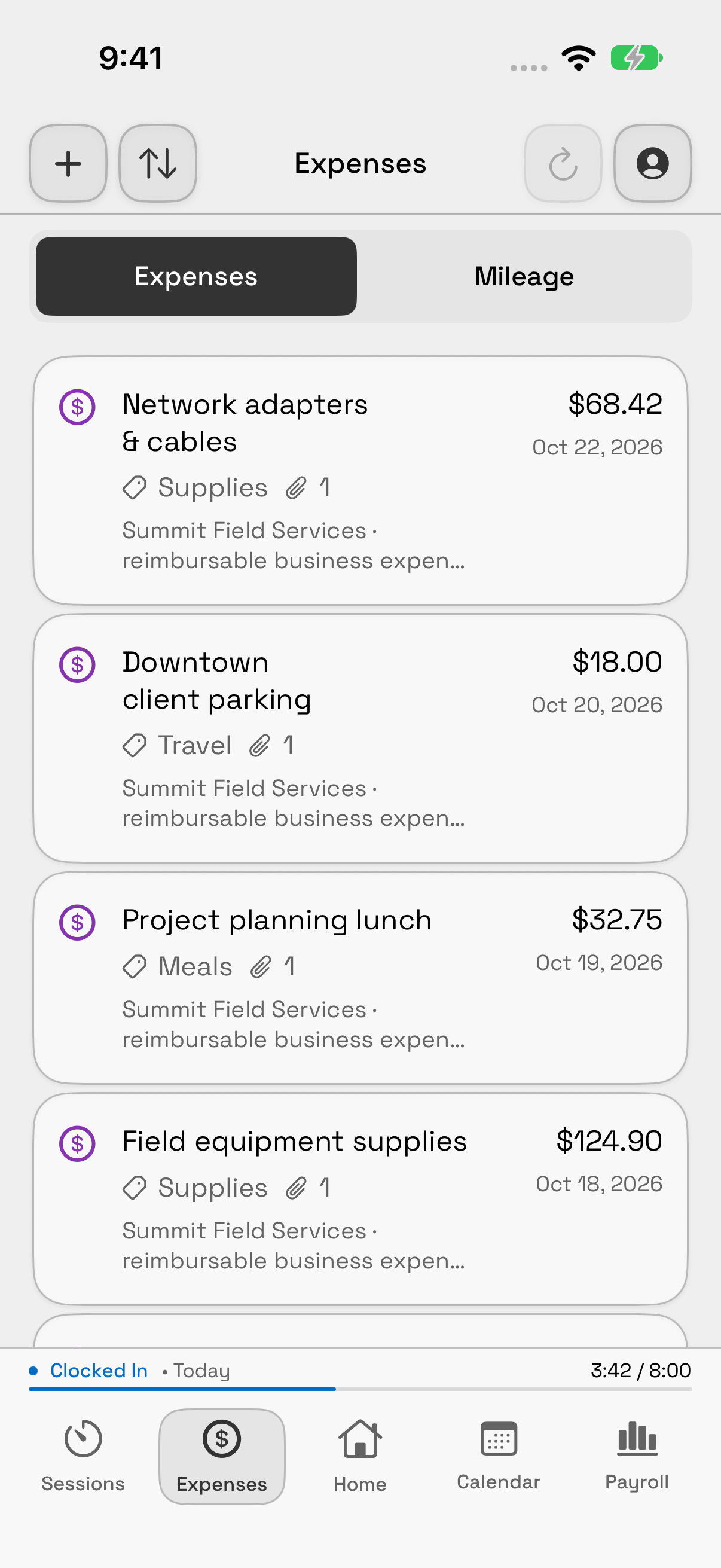
  • Mileage keeps the trip and its captured reimbursement together.
  • Expenses keep receipts with the original record.
  • Client-time estimates, when enabled by your workplace, belong to mileage—not expenses.
Mileage. Actual native Nitro interface with fictional demo records.
Trip purpose, distance and the reimbursement captured for each trip. · demo data
Expenses. Actual native Nitro interface with fictional demo records.
Expense descriptions, amounts and receipt attachments. · demo data

Pay-period reports

Review the dates, hours and reimbursements before anything leaves the app.
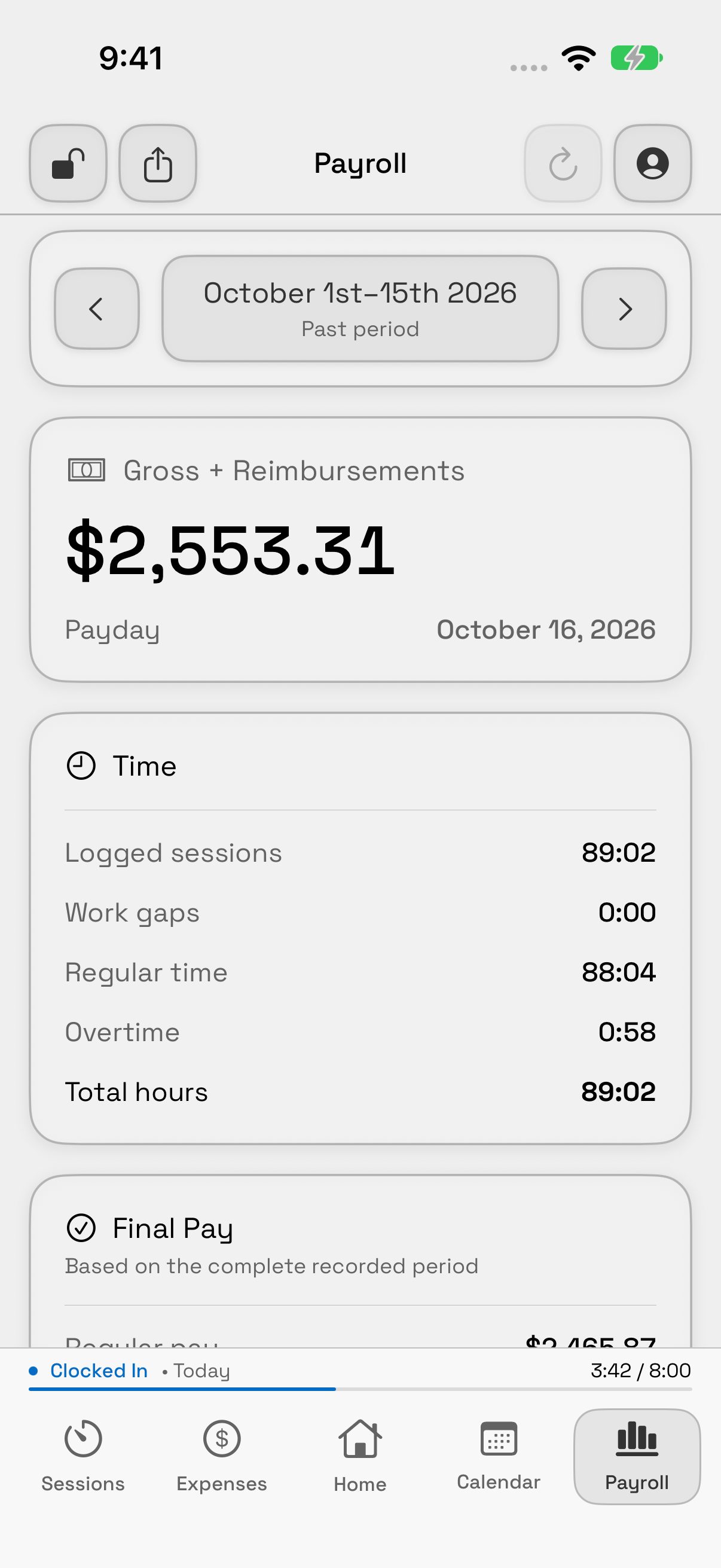
  • See sessions grouped into the selected reporting period.
  • Preview a readable hours report before copying or sharing it.
  • Workplace sharing follows the administrator’s permissions; personal reporting stays separate.
Pay-period reports. Actual native Nitro interface with fictional demo records.
The native reporting page. Estimates are not a payment or payroll approval. · demo data

Made for iPhone

The same working records, with an interface suited to the device.

Built for iPhone

A compact overview, native sheets and controls sized for your phone.

Also on iPad

The same iOS app adapts to a wider canvas. iPhone and iPad share one beta waitlist.

Personal or workplace

Track your own records, or use the access and policies provided by your employer.

Beta access

External iPhone and iPad testing is paused while we prepare the next beta. Join the shared iOS waitlist to hear when invitations resume.

iPhone and iPad share one iOS beta waitlist. Joining does not install Nitro, create an account or guarantee an invitation.

NITRO BETA WAITLIST

Join the beta waitlist?

Enter the email you’d like to join with, then confirm your reservation request. We’ll contact you about access when the beta is ready.

Your email is used for beta-access correspondence. Joining does not create an account or guarantee an invitation. Privacy Policy.

How your reservation is handled

Confirming saves your email, chosen beta, reservation number and original signup time privately in Supabase. We send a notification to support@nitrotrack.app and a confirmation with your number to your email, both from no-reply@nitrotrack.app. Repeat requests keep your original place. No account or guaranteed invitation is created.

You can remove yourself from the waitlist anytime by sending another email to support@nitrotrack.app.

You can request removal anytime.