Skip to content
nitro

iPadOS

Nitro for iPad

The same Nitro, with more room to review. Follow your sessions, reimbursements and workplace information on a tablet-sized canvas.
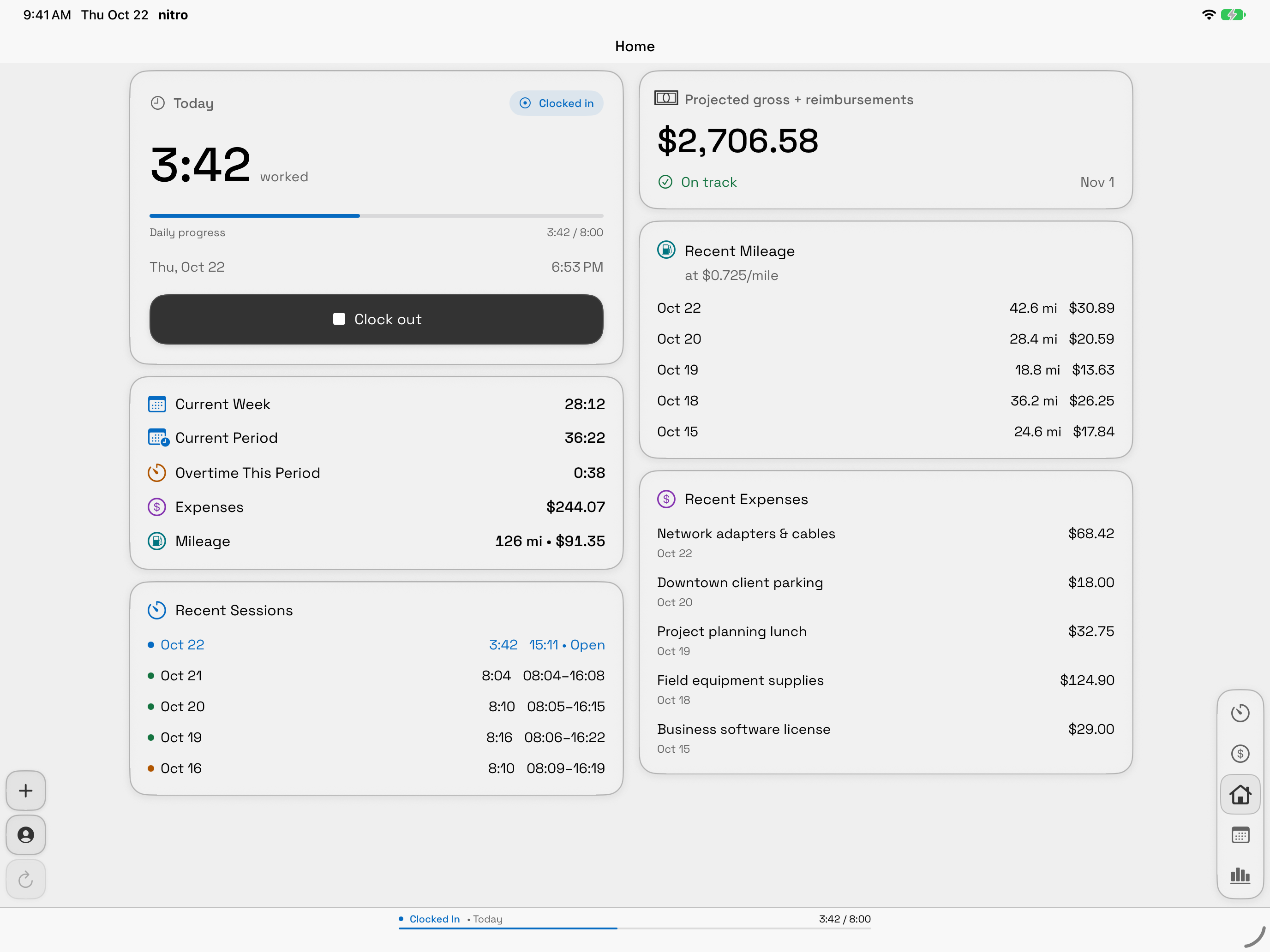
The iPad overview. Actual native Nitro interface with fictional demo records.
The native iPad overview, with a layout that responds to the available window. · demo data

Sessions on a wider canvas

Keep the working day in view while you move between records and their details.
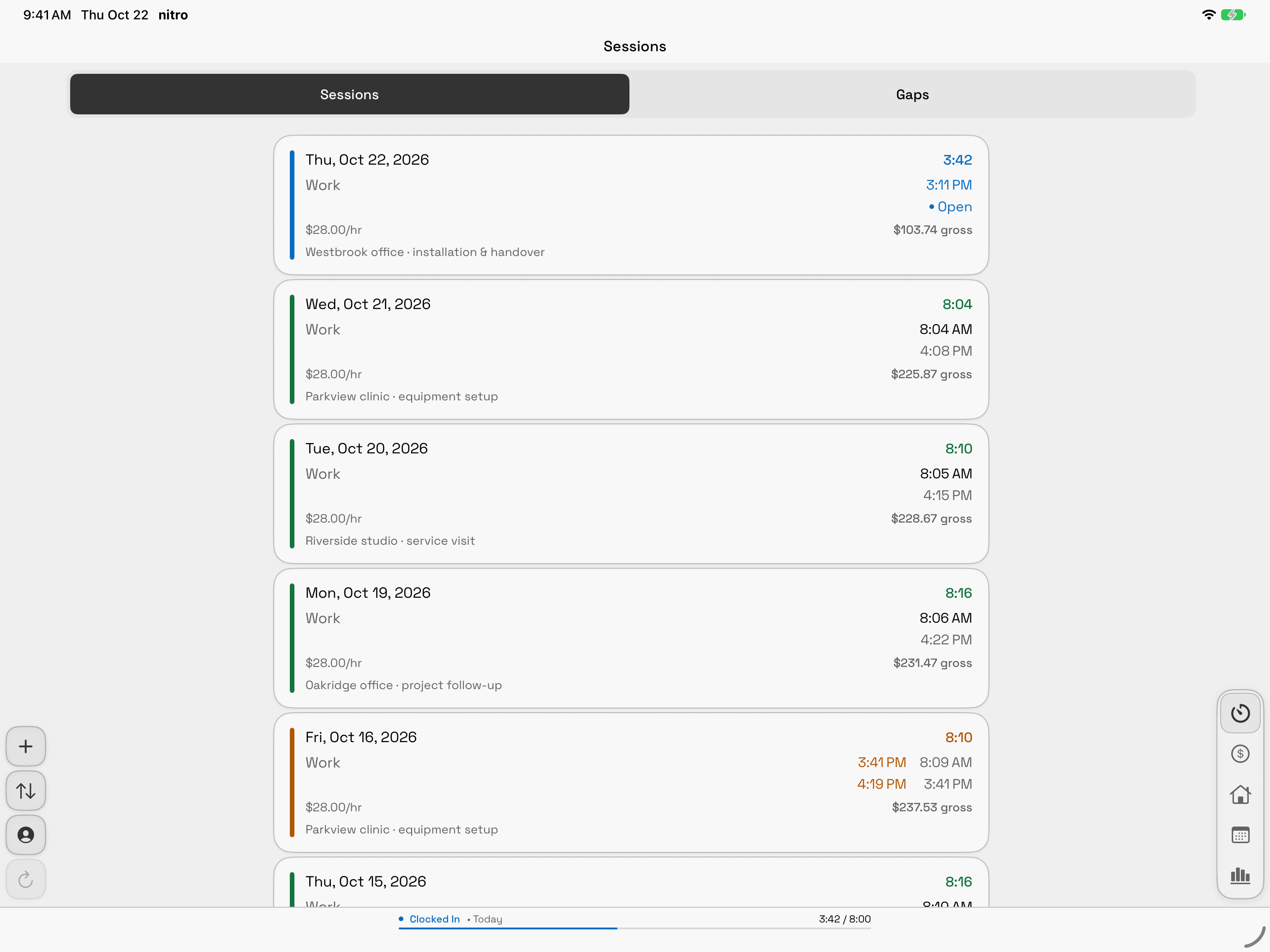
  • Review recorded sessions with their start, end and captured rate.
  • Open the native editor for a closer look at an entry.
  • Use the space available in your iPad window.
Sessions on a wider canvas. Actual native Nitro interface with fictional demo records.
The genuine iPad session list, at its original aspect ratio. · demo data

Reimbursements

More room for the trip, the receipt and the reason behind an entry.
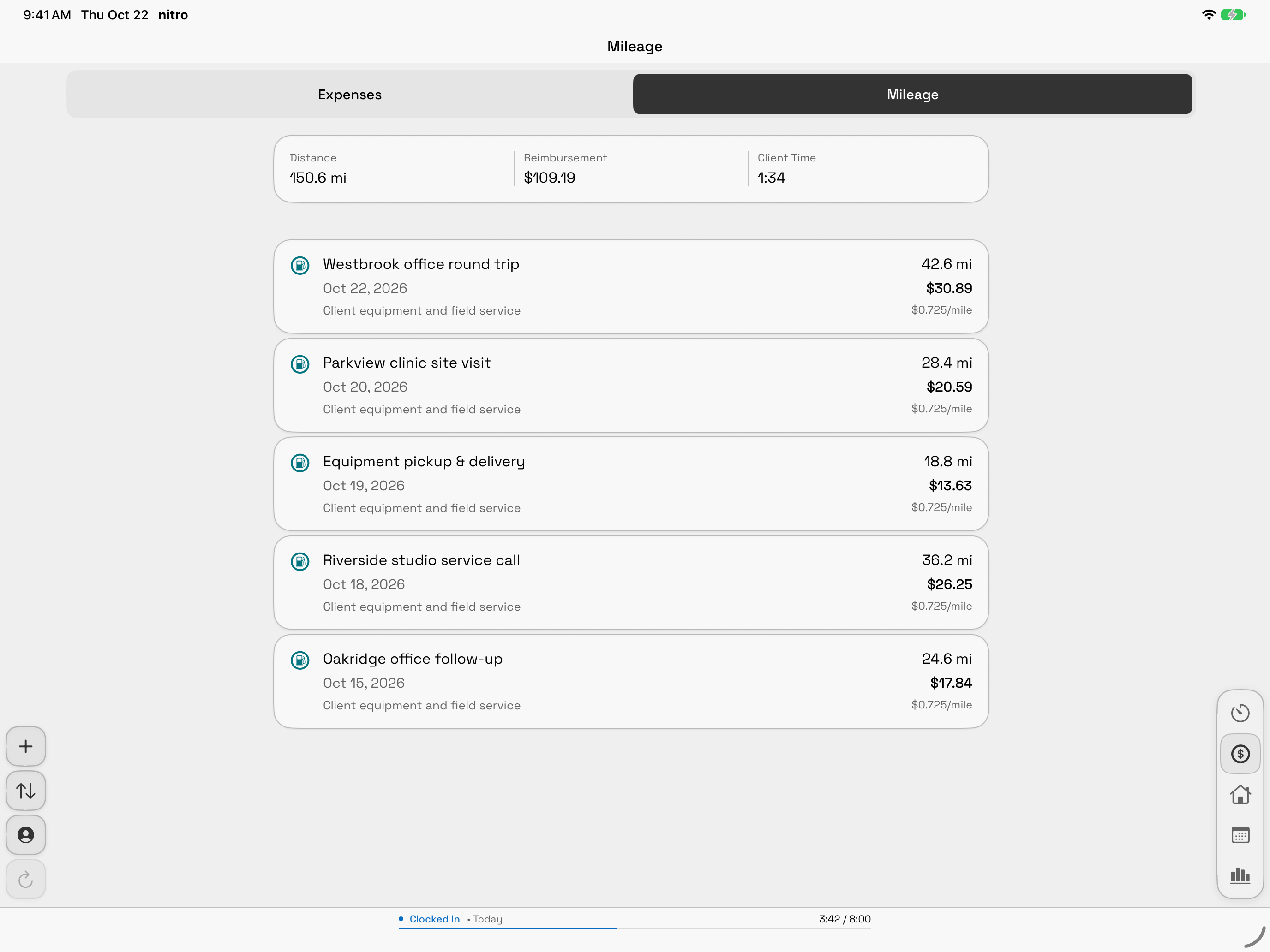
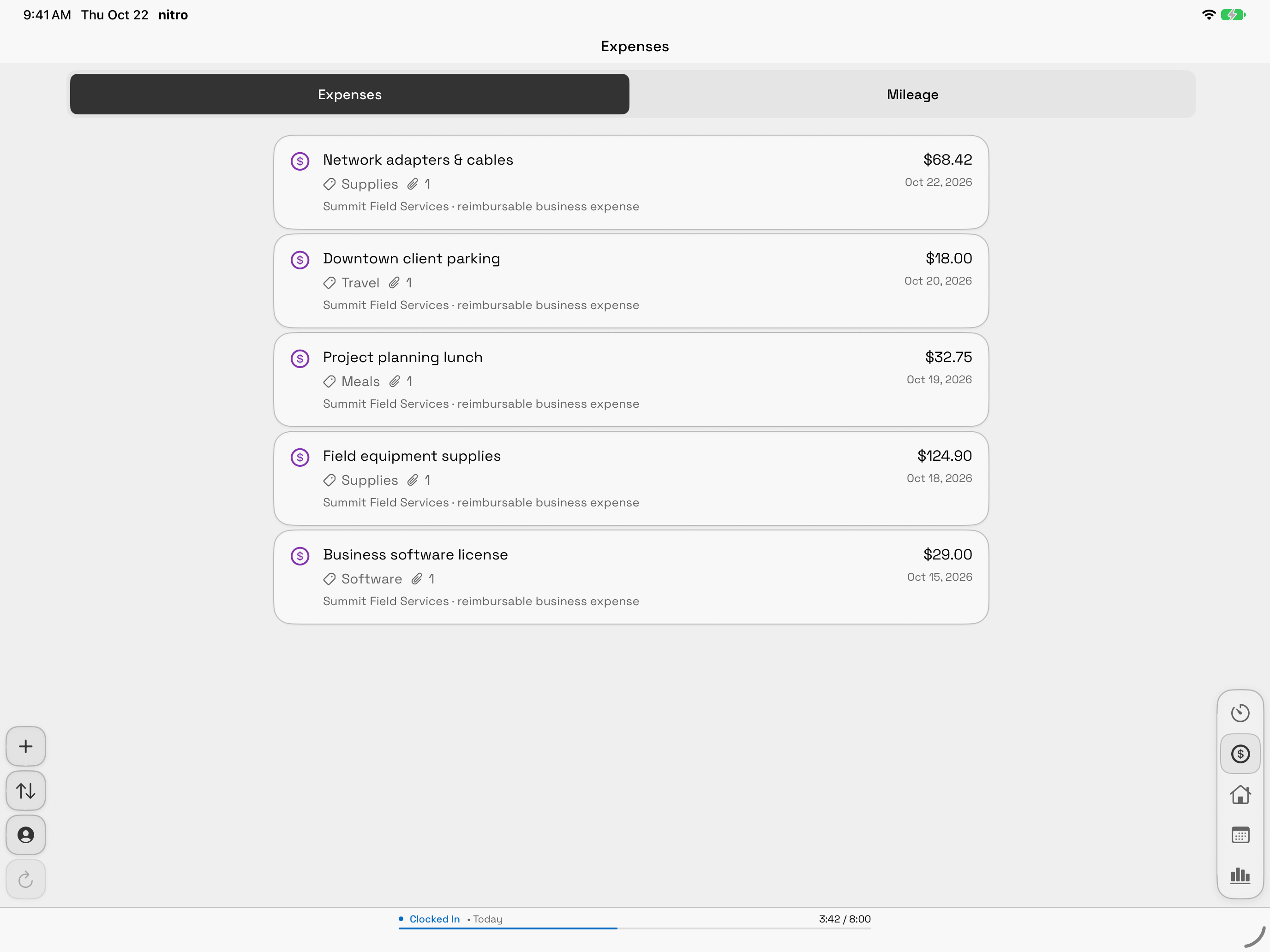
  • Keep mileage and expense records distinct.
  • Retain the captured reimbursement on each trip.
  • Store receipts with the expense they belong to.
Mileage on iPad. Actual native Nitro interface with fictional demo records.
Recorded trips and their reimbursement details. · demo data
Expenses on iPad. Actual native Nitro interface with fictional demo records.
Expense records in the native tablet layout. · demo data

Workplace on iPad

Eligible administrators can open workplace management inside the same mobile app.
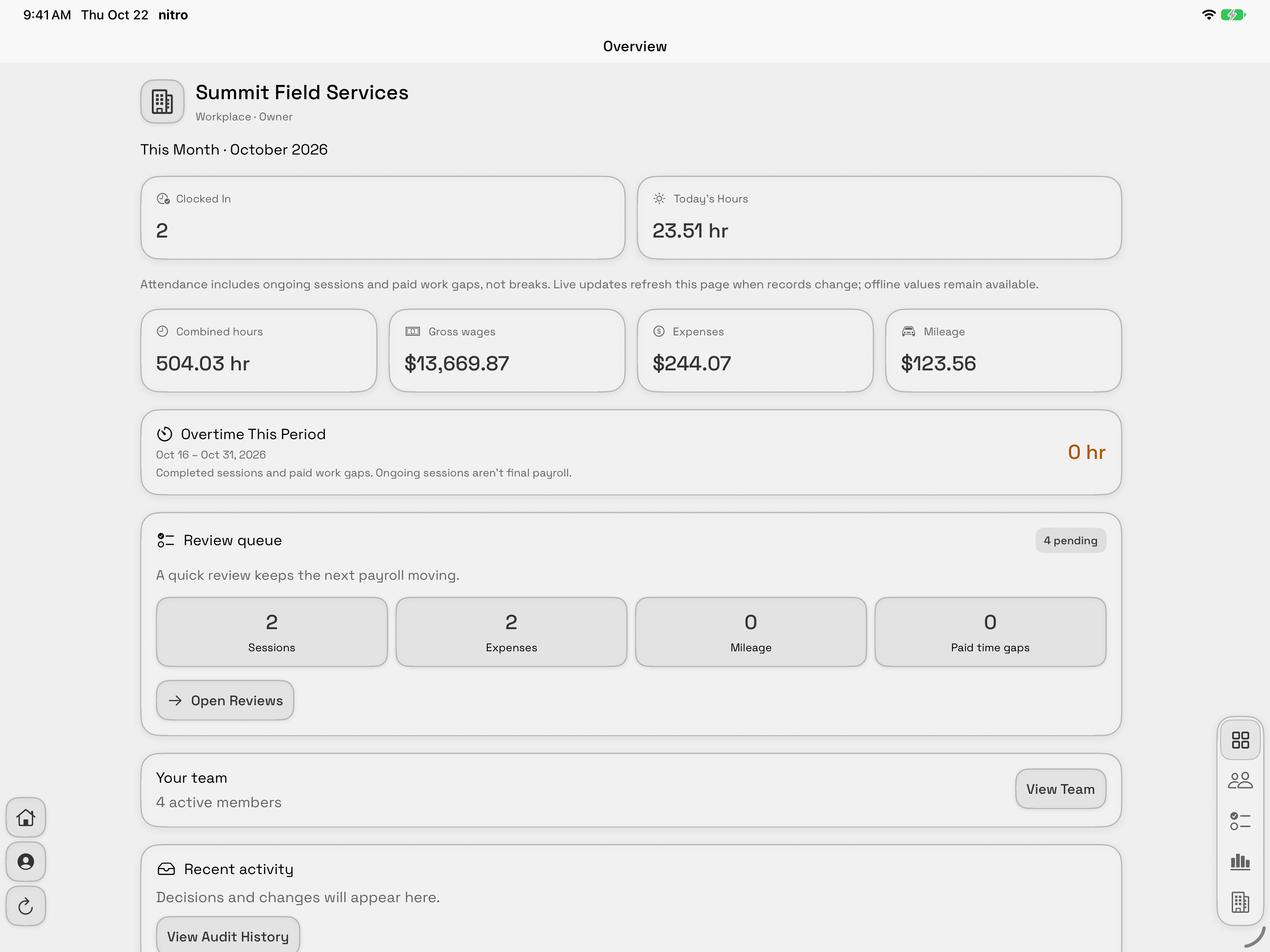
  • See the workplace overview and the reporting period.
  • Review team information using the permissions on your account.
  • Your employer’s workplace remains separate from your personal records.
Workplace on iPad. Actual native Nitro interface with fictional demo records.
Workplace management is integrated into the iOS/iPadOS app; it is not a separate iPad download. · demo data

Made for iPad

The same working records, with an interface suited to the device.

One Apple mobile app

iPhone and iPad share the same iOS app and beta waitlist.

Adaptive layouts

Native tablet screens use the window space available in portrait and landscape.

Native sheets

Review records and reporting options in the app’s native sheets.

Beta access

External iPhone and iPad testing is paused while we prepare the next beta. Join the shared iOS waitlist to hear when invitations resume.

iPhone and iPad share one iOS beta waitlist. Joining does not install Nitro, create an account or guarantee an invitation.

NITRO BETA WAITLIST

Join the beta waitlist?

Enter the email you’d like to join with, then confirm your reservation request. We’ll contact you about access when the beta is ready.

Your email is used for beta-access correspondence. Joining does not create an account or guarantee an invitation. Privacy Policy.

How your reservation is handled

Confirming saves your email, chosen beta, reservation number and original signup time privately in Supabase. We send a notification to support@nitrotrack.app and a confirmation with your number to your email, both from no-reply@nitrotrack.app. Repeat requests keep your original place. No account or guaranteed invitation is created.

You can remove yourself from the waitlist anytime by sending another email to support@nitrotrack.app.

You can request removal anytime.